
What is a digital shop?
A digital shop – also called an online shop or digital storefront – is a website or platform where a business presents its products or services online. Customers can browse listings, compare options, contact the business and complete transactions digitally. For example, a property broker's digital shop can show available flats, plots, commercial spaces and rental properties, along with the broker's details and enquiry options.
12 must-have digital shop features
1Clear business profile
Your digital shop should clearly show your business name, logo, contact number, email, location, service areas and a short business description. This builds trust and helps customers quickly understand who they are dealing with. A complete, professional profile makes your shop look reliable and encourages visitors to contact you.
2Product or service catalogue
A catalogue lets you display what you sell in an organised way. For a broker, this can include apartments, villas, plots, commercial properties, rental homes and property-related services. A structured catalogue helps customers find suitable options quickly and shows the full range of what your business offers.
3High-quality images and videos
Photos and videos help customers judge a product or property before contacting you. Add clear images, floor plans, location maps and short walkthrough videos wherever possible. Good visuals make your digital shop more attractive and help customers decide faster.
5Detailed product or listing pages
Every product or property should have its own page with complete details: photos, price, specifications, location, features, availability and a clear call to action. For a property, include the type, price, carpet or built-up area, bedrooms, bathrooms, location, amenities, photos, videos, the broker's contact options and an enquiry or site-visit button.
6Mobile-friendly design
Most customers browse on their phones. Your digital shop should load quickly and work smoothly on smartphones, tablets and computers, so customers can view your products or property listings easily on any device.
7Secure payment options
If you sell products or accept booking amounts, offer trusted payment methods such as UPI, cards, net banking, wallets or payment links. Secure payment handling protects customer information and makes transactions safe. Even if you don't take payments online, clear payment and booking information builds confidence.
8Enquiry and lead capture forms
Not every customer is ready to buy immediately. Add simple enquiry forms, WhatsApp and call buttons, and site-visit request options. For real-estate brokers, lead capture is one of the most valuable features of all. Ask only for the essentials: name, phone number, email, property requirement, budget and preferred location.
9Customer reviews and ratings
Reviews help new customers trust your business. Show genuine customer feedback, ratings, testimonials and examples of successful deals. When visitors see that others had a good experience, they feel more confident about contacting you.
10Order or enquiry management
A good digital shop helps you track enquiries, customer details, follow-ups, payments and completed deals from one dashboard. This makes it easier to reply quickly, manage customer relationships and never miss a business opportunity.
11SEO-friendly pages
Your digital shop should be easy for Google to understand. Use clear page titles, descriptions, headings, image alt text, fast loading and useful, keyword-focused content. SEO-friendly pages help your products, services and listings appear in relevant searches and bring more visitors to your shop for free.
12Analytics and reports
Track which listings get the most views, which pages bring enquiries, where visitors come from and which marketing channels work best. Analytics show you how customers behave, so you can improve your shop based on real data.
Digital shop features for real-estate brokers
A property broker's digital shop should ideally include:
- A verified, complete broker profile
- Property listings with photos and videos
- Location-wise property search
- Buy, sell and rent categories
- Buyer enquiry forms and site-visit booking
- WhatsApp and call buttons
- Customer reviews
- Property shortlisting
- Lead notifications and a broker dashboard
- Service-area targeting
- SEO-optimised property pages
These features let brokers stay available online, present properties professionally and receive genuine enquiries even outside office hours.
Benefits of a digital shop
- Your business stays visible 24/7, so customers can browse anytime.
- Leads are collected automatically, even outside office hours.
- Reviews and complete information build trust.
- You reach customers beyond your local area.
- Enquiries and follow-ups are managed in one place.
- You depend less on walk-in customers and can promote your shop on Google, social media and WhatsApp.
How to create a digital shop
- 1Define your business goal and target customers.
- 2Choose the products, services or properties you want to showcase.
- 3Create a clean business profile with accurate contact details.
- 4Add high-quality photos, descriptions, prices and categories.
- 5Add enquiry, call, WhatsApp and (if needed) payment options.
- 6Make sure the shop is mobile-friendly and fast.
- 7Use SEO-friendly titles and descriptions.
- 8Promote it through your Google Business Profile, social media and local directories.
- 9Reply quickly to enquiries and reviews, track performance and keep improving your listings.
Your digital shop on Brokyfy
On Brokyfy, every broker gets their own digital store with their name and logo. Pick one of 4 window designs and one of 4 frame colours – purple, green, orange or maroon. These are real Brokyfy stores:
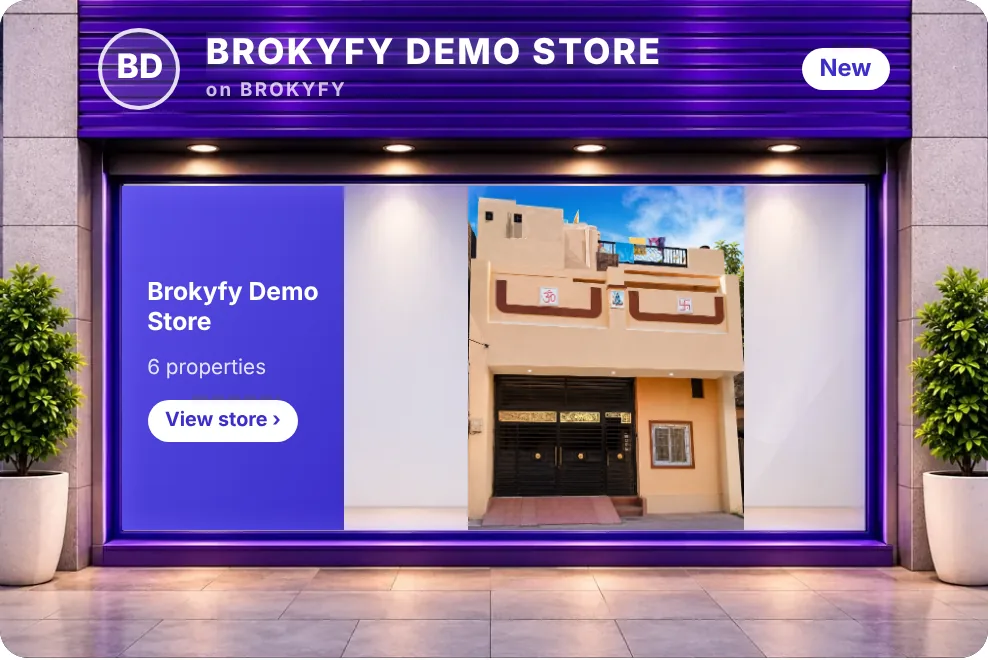
Classic · Purple frame
Your store details next to one featured photo.
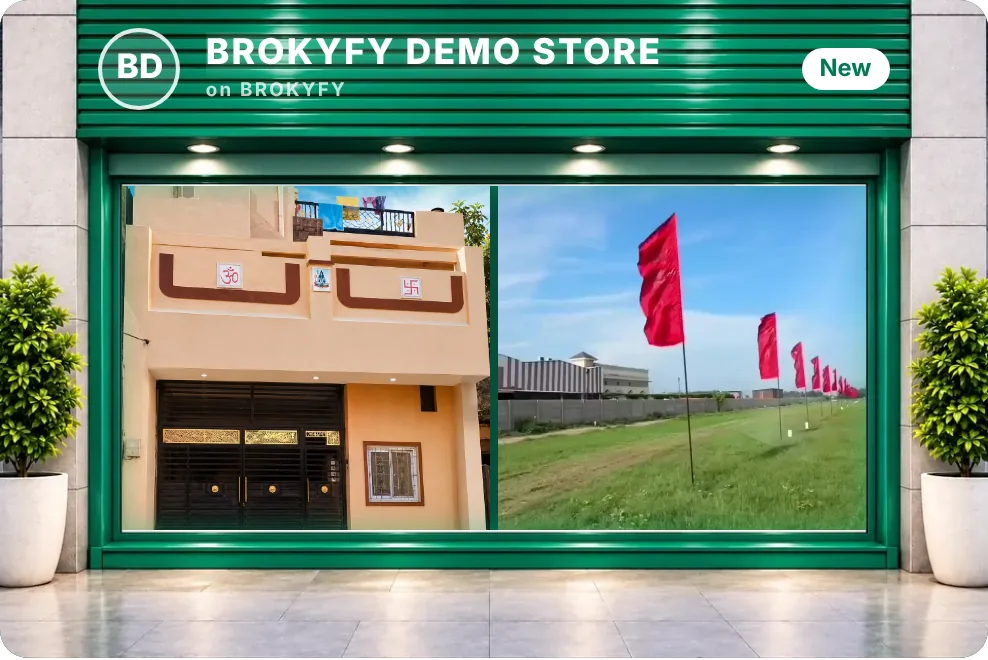
Dual · Green frame
Two property photos side by side.
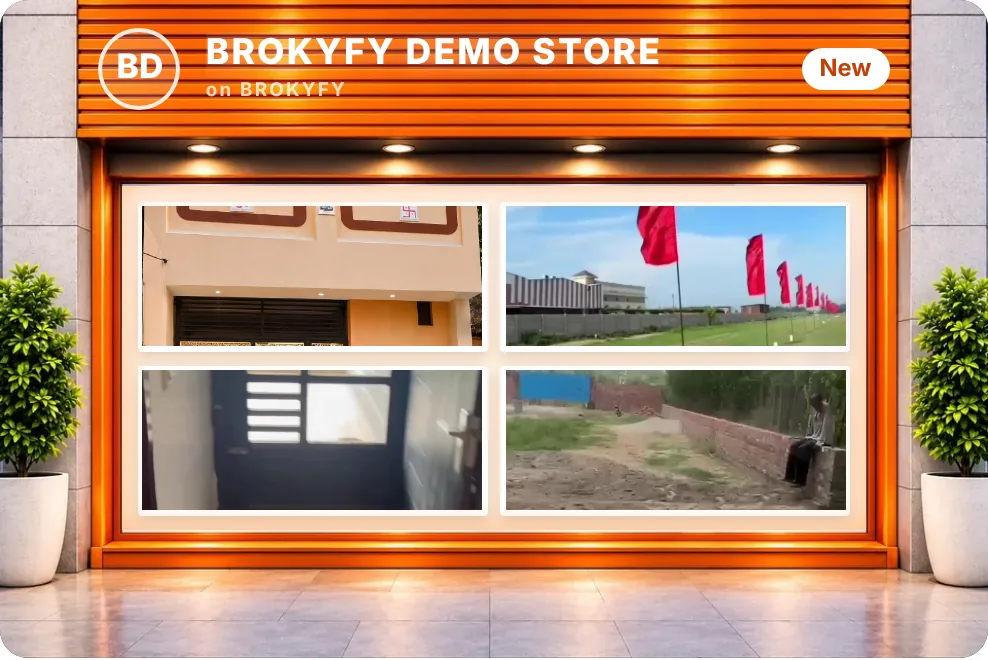
Gallery · Orange frame
Up to four framed photos.
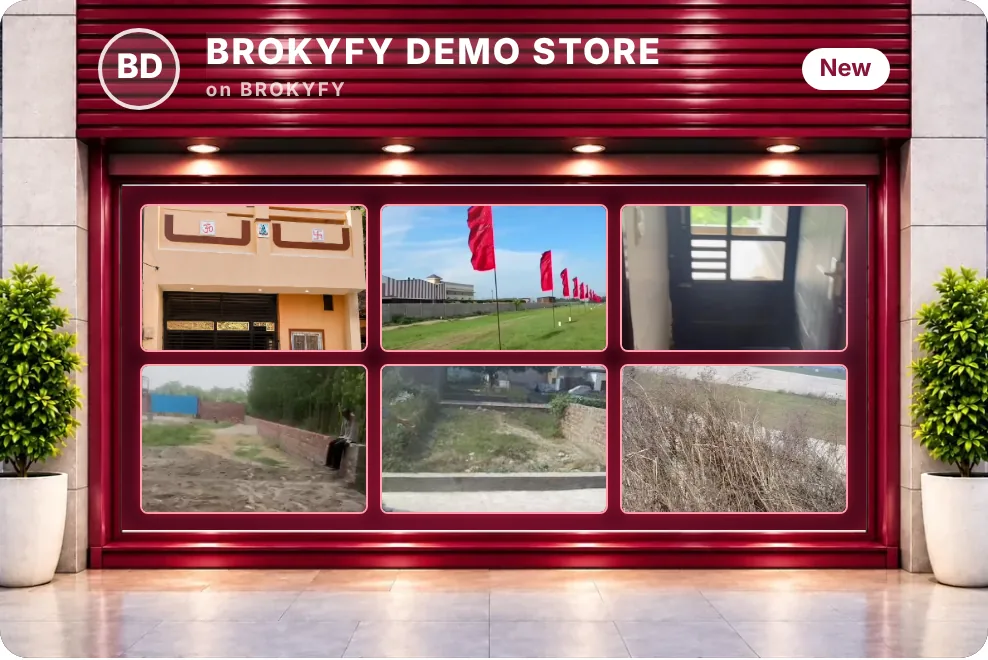
Showroom · Maroon frame
Up to six glowing screens.
- List your properties with photos and videos, and post short property reels.
- Share one store link on WhatsApp instead of sending photos one by one.
- Customers contact you right from your store and listings.
- Get customer leads: the Brokyfy team sends you people looking for property in your area.
- Works on phones and computers, with pages Google can find.
Store creation is free.
Set up your digital shop in a few minutes and start sharing it today.
Create your free storeStep by step: how to create a digital store for your real estate business. And why it matters: why every real estate broker needs an online property shop.
Final thoughts
A digital shop for real-estate brokers is more than just a website – it is your online business presence. With the right features, it helps you show your offerings professionally, build customer trust, capture leads and grow sales. For real-estate brokers, a digital shop can turn property listings into a powerful lead-generation system.